Sunday, February 8th, 2026 .

Running a busy restaurant is a balancing act. You want to fill every seat, but you also need to keep your best tables open for VIPs or ensure your staff isn’t overwhelmed by a sudden rush in one single section. Our new Availability and Priority feature gives you the tools to automate your seating strategy exactly how you want it.

Control Your Online Bookings

Not every table needs to be available for online booking. With the Availability setting, you decide which tables the system can auto-assign to self-service customers and which ones you want to hold back for walk-ins or special manual assignments. It’s the easiest way to protect your “power tables” or manage capacity during peak shifts.

Smart Auto-Assignment

When a reservation comes in, who gets the best seat? With Priority, you set the rules.

  • Priority 1 tables are filled first.
  • Higher numbers act as a fallback.
  • Priority 0 keeps tables hidden until every other option is exhausted.

Strategies That Work

Whether you want to fill your most popular window seats first, keep a section clear for a private event, or spread guests evenly across the room to balance the workload for your servers, this feature handles the logic for you.

Getting Started

Ready to optimize your seating? Just head to Account → Settings → Availability and Scheduling → Advanced Scheduling Rules to start setting your priorities.

Wednesday, July 12th, 2017 .

Waitlist Me has a Web Widget feature that allows customers to add themselves to the waitlist or schedule reservations from your website or social page. Waitlist Me Pro offers some additional features for controlling when customers can do these actions:

* Business Hours lets you restrict the times that people can make reservations or appointments

* Display Hours limit the times the widget itself will be available for people to join the waitlist or request reservations

To set these up, go to the Add Yourself area of the settings in the app or on the Waitlist Me website (login online and navigate to Account > Settings > Add Yourself > Business Hours and Display Hours).


Business Hours

Set your business hours for when you wish to accept reservations. For example, if your business closes at 10:00 pm, you may not want to accept reservations after 9:00 pm. When customers try to book outside of that time, they will receive a message instructing them which time frames are available (you can edit this message). There are also options to limit group size and how many days out reservations can be made.


Display Hours

The Display Hours feature controls when this widget is available, so people don’t add themselves to the waitlist when you aren’t open or send reservation requests when you are not around to review them. You can also choose what message will appear when the widget isn’t active.


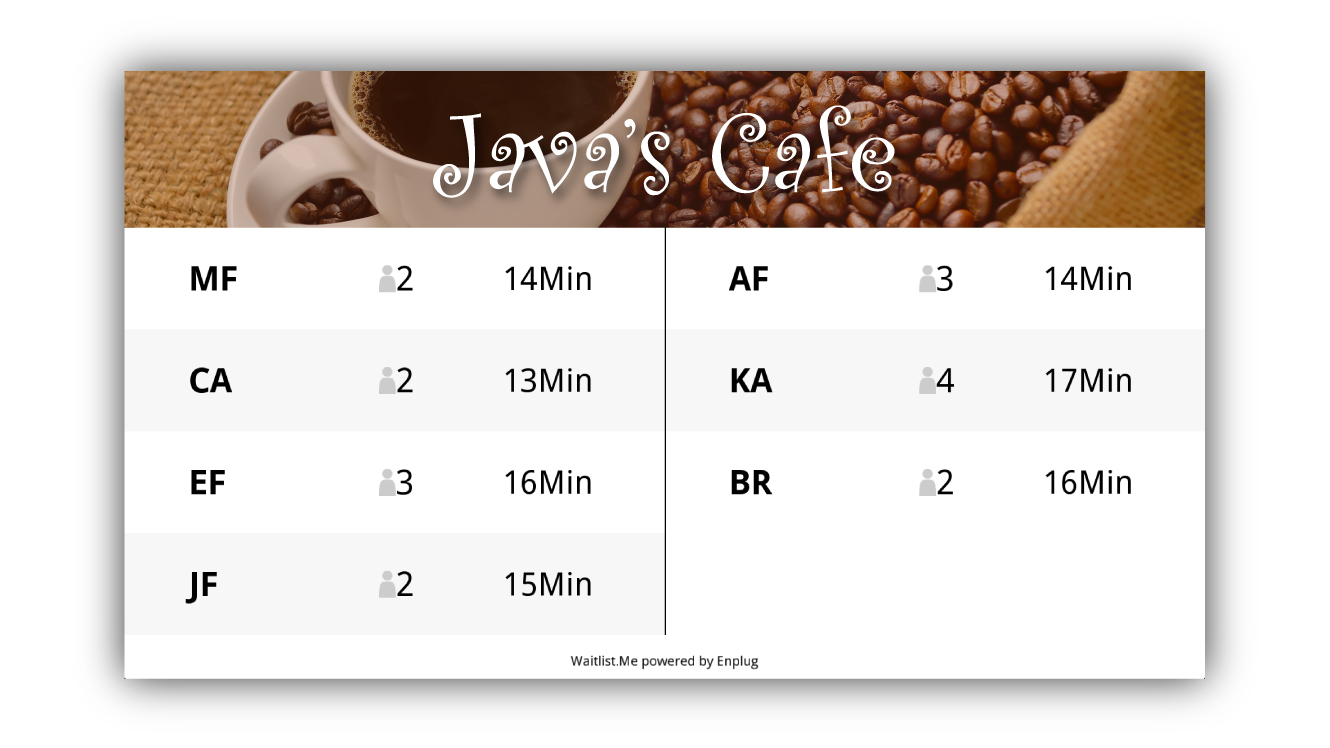
There are several other settings you can edit to get the most out of your subscription. Navigate to Account > Settings > Customize Settings (under the Add Yourself header), and here you can change the colors and titles of your Web Widget. The Display dropdown controls the metrics customers see for the current waitlist (number of people on the list, last time quoted, etc.).

In the General Settings section, there are options you can customize in the Add Yourself settings. for whether you want to accept requests for reservations and/or the waitlist, whether you want to automatically approve those requests.  You can also choose what information you want to collect and require, like phone number, party size, and notes.

After configuring your widget, you’re ready to put it on your website. You can either add a link that will redirect to a hosted webpage, or add the widget itself directly onto your site.  Also, you can enter HTML that will appear below the widget. For example, you may want to include instructions for customers to indicate if they prefer to sit inside or outside, or information about your loyalty program.  Here is a video with more on how it works:


Friday, April 17th, 2020 .

When coronavirus hit America, some side-eyed the “essential” classification for medical marijuana dispensaries and those that support them, like grow sites and edible producers. Of course, if you own or run a dispensary, you know better.

An estimated 3 million people in the U.S. and its territories depend on medical marijuana. Because a large percentage of dispensary customers already have compromised immune systems, it’s especially important for businesses to protect shoppers.

Waitlist Me is helping do exactly that during the COVID-19 crisis. Here’s how some cannabis businesses are using our waitlist and reservation app to keep their doors open and their customers safe.

Enforce occupancy restrictions

If your dispensary is scant on square-space, consider creating a restriction on the number of people allowed inside your business at one time. Station a staff member outside to function as crowd control—and to add customers to your waitlist—and another employee inside, behind the counter. You’ll be able to provide excellent one-on-one service while still protecting those that matter most: your employees and your customers.

Tip: Use Waitlist Me’s text notification feature to encourage guests to wait in their cars. Reassure them that their place in line is secure, and that you’ll send them a text when it’s their turn to go inside.

Encourage social distancing and touchless service

With scores of new customers coming in the door—not to mention the new products on offer—questions abound for cannabis industry pros. And that’s the way it should be! But a queue for customer service isn’t a safe situation during a pandemic.

To avoid a cluster at your counter, add the Waitlist Me widget to your website. Direct customers to add themselves to your waitlist from their phone, so they can start the waiting process while en route to your store or wait in the parking lot from their car.  

Tip: Head off ETA questions right at the start by adding the link to your dispensary’s public waitlist to your website. That way, people can check their place in line with just a single glance. Or use the web widget features to show how many people are currently waiting.

Make pickup as quick and easy as possible

Even though it’s nice to get out of the house during these difficult times, those you serve still want to make their trips in public as speedy as possible. To help them do that, encourage customers to make an appointment to shop or to add themselves to your waitlist before they arrive. Waitlist Me’s web widget lets them do both. When they check in, they can specify what the goal of their shopping trip is (i.e. to refill a prescription, pick up an online order, or shop for a certain type of product) so your employees can expedite their visit.

Waitlist Me Pro users can even use our flexible two-way texting feature to respond to customer questions, clarify details, or let someone know if their prescription isn’t ready yet.

Tip: Upgrade your curbside pick-up with contact-free service, which will be a boon for your immune-compromised customers. Update the custom text notifications to include pick-up directions, like where to park and to roll down a passenger window for no-touch delivery.

Wednesday, February 25th, 2026 .

Running a successful restaurant means juggling a lot of moving parts, and managing the dining room floor is often one of the most challenging. Double-bookings, awkward overlaps, and unpredictable table turnover can quickly turn a great service into a stressful one.

Enter Duration Rules—a smart feature within Advanced Scheduling Rules designed to automate and optimize your table management.

Here is a breakdown of what Duration Rules are, how they work, and how they help your business.


What Are Duration Rules?

At their core, Duration Rules allow businesses to automatically control exactly how long a table is reserved based on the size of the party or the time of day.

Working seamlessly with your Table Management and Capacity Utilization tools, these rules calculate availability and assign tables automatically. This means your system can make reliable, split-second decisions during customer self-scheduling without any manual math or intervention from your staff.

The Magic Behind the Scenes: How They Work

When a customer attempts to book a table through your self-scheduling portal, the system follows a precise, automated logic:

  1. Identifies the party size: The system notes how many guests are arriving.
  2. Applies the rule: It looks at your predefined settings to find the correct duration for that party size.
  3. Blocks the table: The specific table is reserved for that exact calculated time limit.
  4. Checks availability: It instantly ensures no other reservations can overlap with this block.
  5. Updates the customer: If no suitable table is available for the full duration of their requested time, that time slot is hidden or marked unavailable to prevent double-booking.

Customizing for the Rush: Time-Based Duration Rules

Not all service periods are created equal. Customers might want a quick bite during their lunch hour, but prefer to linger over a multi-course meal at dinner. Duration Rules can be customized to reflect these different dining habits.

By creating separate rules and applying them to specific blocks in your Business Hours settings, you can maximize efficiency.

Why Duration Rules Matter

By implementing Duration Rules, you ensure that the availability your customers see online perfectly matches the real capacity of your dining room, even during the Friday night rush.

The immediate benefits for your business include:

  • Preventing double bookings: No more apologizing for a table not being ready.
  • Reflecting realistic dining times: Tailoring your turnover expectations to the actual time of day.
  • Improving the guest experience: Customers are seated promptly, and dining rooms feel well-managed.
  • Reducing staff workload: Hosts can focus on greeting guests rather than playing calendar tetris.
  • Enabling reliable self-scheduling: You can trust the system to run on autopilot.

Wednesday, January 29th, 2020 .

‘Tis the season for fresh powder and freezing temperatures. This winter, ski towns across America are riding high on the sort of snowfall that would make Frosty proud. As the inches accumulate—and ski bunnies flock in droves—the small businesses that keep these high-altitude towns running are awash in customers.

How are they turning out consistently excellent customer service? They’re downloading Waitlist Me, the intuitive waitlist and reservation app designed for restaurants, retailers, and all sorts of businesses in-between. The service makes interacting with your customers a cinch from the first day the slopes open to the very last snowfall.

Not sure how your business can use Waitlist Me to improve customer service and make overall operations more efficient? Take a peek at how these winter businesses are leveraging the app to win over customers and boost their bottom line.

Food and beverage businesses

From fine dining to dive bars, American ski towns are awash with excellent eateries. Here’s how businesses are using Waitlist Me to score customer service points:

– Wrangling the queue for a popular downtown bar

– Managing the constant waitlist at a teensy locavore dining hot spot

– Arranging behind-the-scenes tours and tastings at a brewery

– Letting guests sip wine while they wait for a table

– Squeezing in a pre-run breakfast 

Resorts and hospitality-focused establishments

No matter how visitors are spending their days, they all have one thing in common: They require some serious rest-and-relaxation. Here’s how an assortment of hospitality businesses use the app to help their guests chill out:

– Booking private, slope-view hot tubs at a resort spa

– Scheduling a moment of zen with yoga classes

– Offering walk-in appointments for chair massages

– Reserving luxe recovery amenities

Retailers and recreational outfits

Niche small businesses are what turn tiny towns into delightful vacation spots. Waitlist Me enables business owners to deliver spectacular service to their customers and clientele. Here’s how they’re using it:

– Prep for incoming customers at a bike rental shop 

– Arranging private tours for parties large and small at a historical site 

– Booking beginner spots in ski school 

– Saddling up for sleigh rides 

– Scoring space on a slopes-bound shuttle 

– Fitting skis and gear on newbies at a shop 

Want to see how your business can benefit as well? Contact us for a free trial and see how Waitlist Me can change business-as-usual for you today!