The NoshList wait list app closed out 2013 with more than 22 million diners seated across 5,000 restaurants!
This past year was one of tremendous accomplishment for NoshList. From our integration with Clover to the addition of several new features to our app, our focus in 2013 was to provide the best wait list experience for our restaurant clients and their guests. We have exciting plans for 2014 and will continue to raise the bar on wait list functionality.
New features added in 2013 included a multi-restaurant management tool, the first of its kind for the restaurant industry, and a public wait list that lets restaurants display their current waitlists to guests.
Moving forward in 2014, we see huge opportunity for wait list apps to increase operational efficiencies and extend beyond just restaurants. These functionalities could take the wait list feature to any establishment where people have to put their name on a list. This includes waiting rooms at doctors’ offices and other similar places
Another technology trend restaurant operators will see this year: using one tablet to run several different restaurant applications.
In the long run, operators will stop using multiple devices, such as a POS in the dining room and a tablet wait list by the front door. Instead, everything will be conducted from one general-purpose, POS-based tablet, which will lead to several different apps all accessible from the same place.
It has been a great year, and we are shooting to seat nearly 100 million diners in 2014!
At Firespotter Labs, we have been busy working on new ways to make people’s lives better, and are proud to announce our latest creation: NoshList!
NoshList is a free waitlist app for restaurants that uses text messages to notify diners when their tables are ready. Here is how it works:
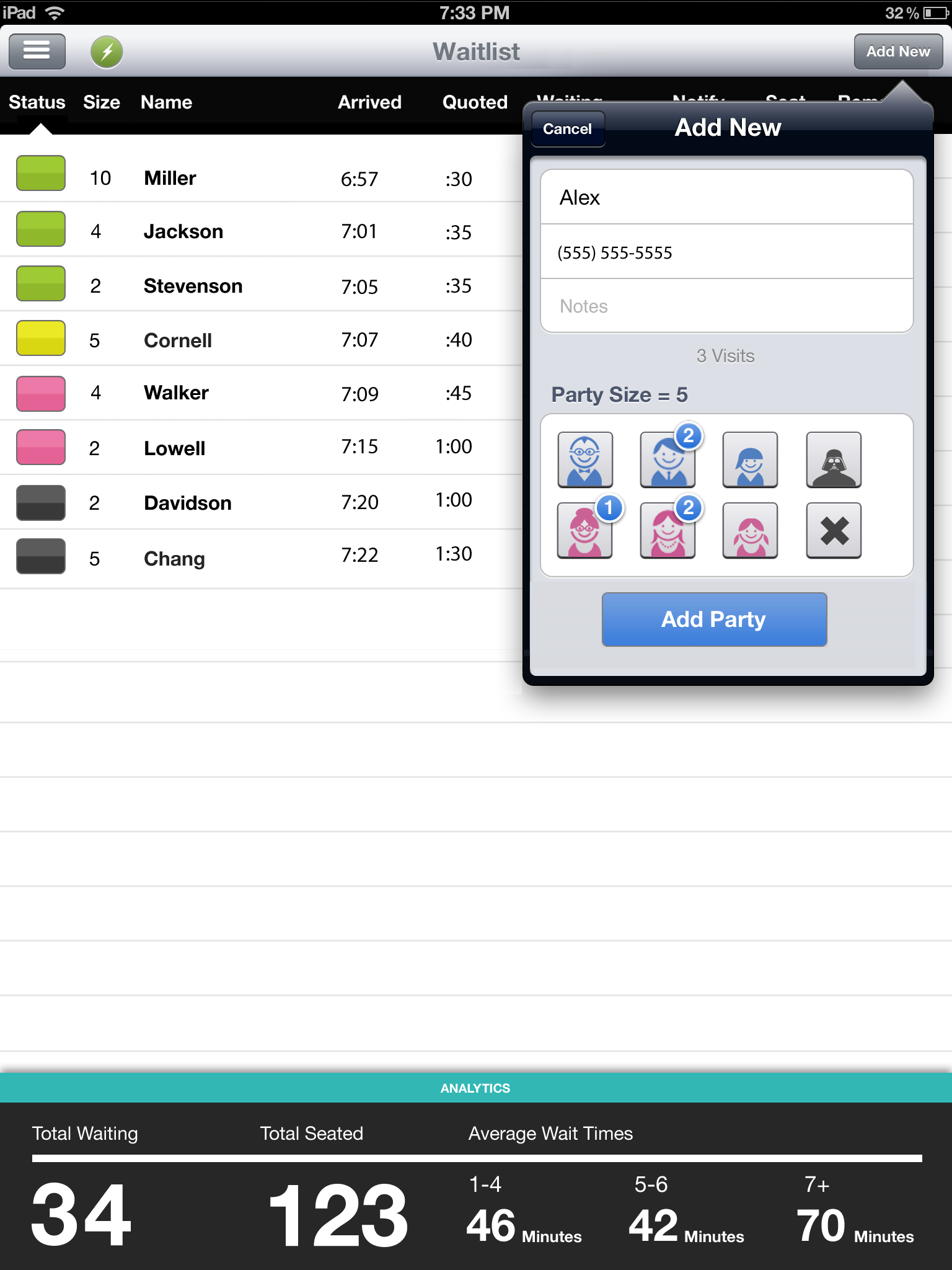
NoshList allows restaurants to easily manage parties – adding, seating and removing them as necessary – just by pushing a button. To add walk-up customers, NoshList users simply enter in a name, phone number and tap a button for the party size. There are even different icons for gender and age groups (i.e., blue for boys, pink for girls, and an icon that looks sort of like Darth Vader for “unknown”). At the bottom of the screen, NoshList shows the current wait times by party size for at-a-glance information, as well as the number of total guests waiting and the total seated.
Waitlist Me offers several features for scheduling reservations and managing availability with simple business rules and scheduling limitations.
For advanced availability management, we have recently added features in our Platinum service for blocking out tables and setting flexible visit duration rules based on the group size and time of day. Adding more control in defining how long guests stay at tables improves the reliability of finding open tables and helps prevent double booking and other scheduling mistakes. It also makes it easy to see availability and the estimated times guests will be scheduled in the calendar view and when adding and changing reservations.
These new features can also be used in other industries to manage appointments and availability of staff, spaces, and other resources. Here’s how it works.
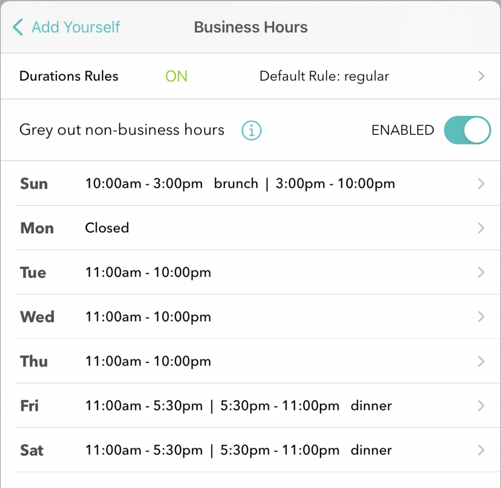
Settings – Duration rules work with the Business Hours features to allow different default durations to be set by group size and by time of day. To turn on Duration rule features go to Settings > Add Yourself > Business Hours and tap on Duration Rules at the top.
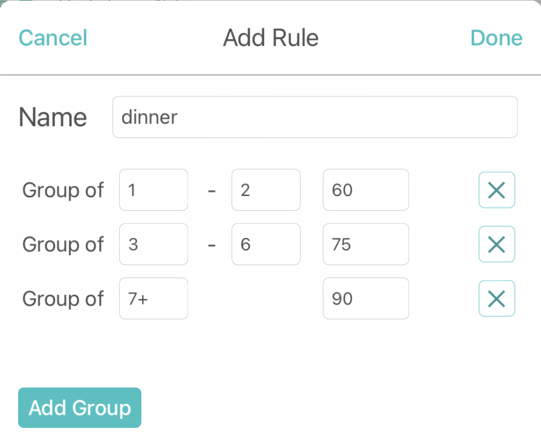
Creating a rule – Define the average times you’d expect guests to stay at your business and whether there is a difference by party size. The size groupings and times are customizable.
Managing rules – You can set up multiple rules if the amount of time customers may stay at your business varies by day or time. For example, you might have different rules for lunch and dinner. You can then apply the rules to different time periods in your business hours. Setting a default rule makes it easy to use the same rule for any time that you haven’t set an individual rule. In the example, a rule for regular hours is the default and there are different dinner and brunch rules for when visit times are different on the weekends.
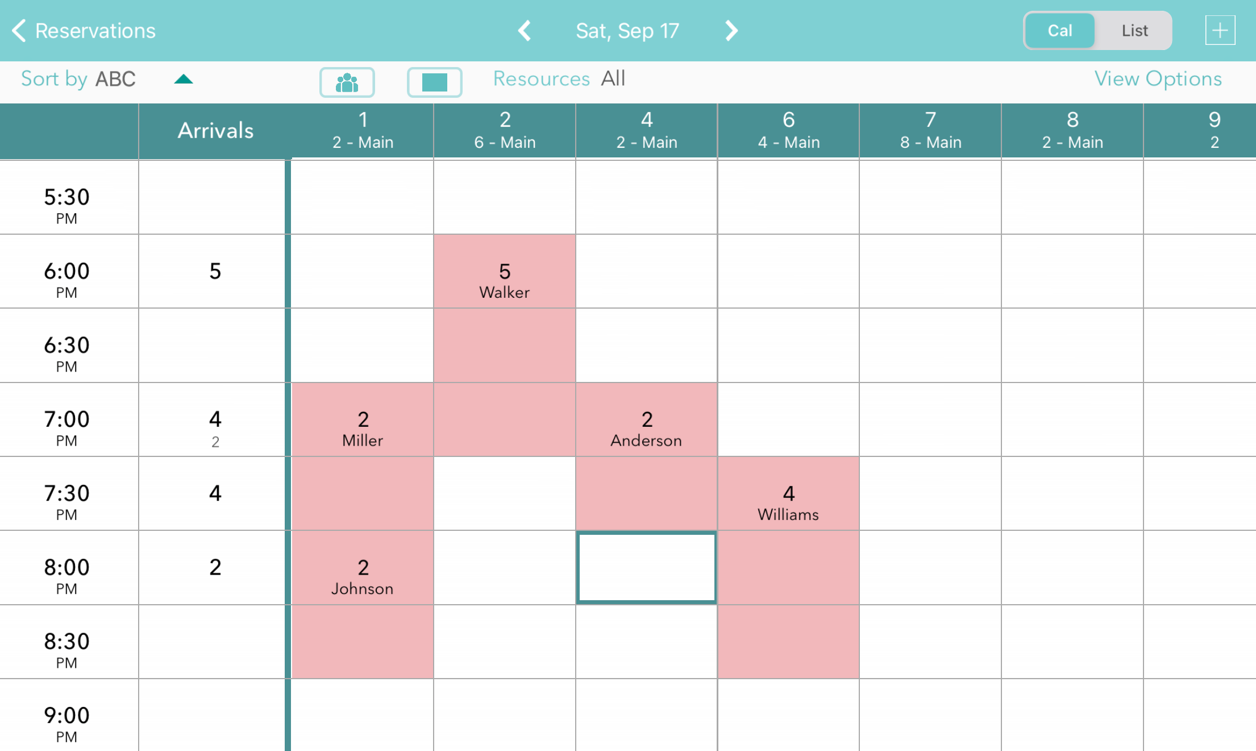
Calendar view – When using the duration rules and custom durations, you can easily see your availability in the calendar view. The tables that are occupied are blocked out in red for the times occupied. Pressing on an existing reservation allows you to edit the details or reschedule.
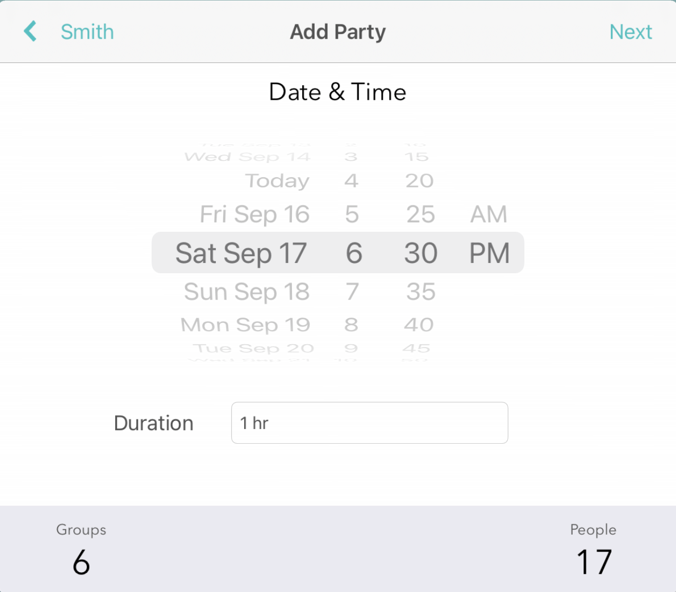
Scheduling guests – Press on an open area in the calendar to schedule a customer for the time and table of the area selected. Or press the plus button at the top and select a time and table. In both cases the duration will automatically be displayed based on the duration rules for the time and party size. This duration can also be changed manually.
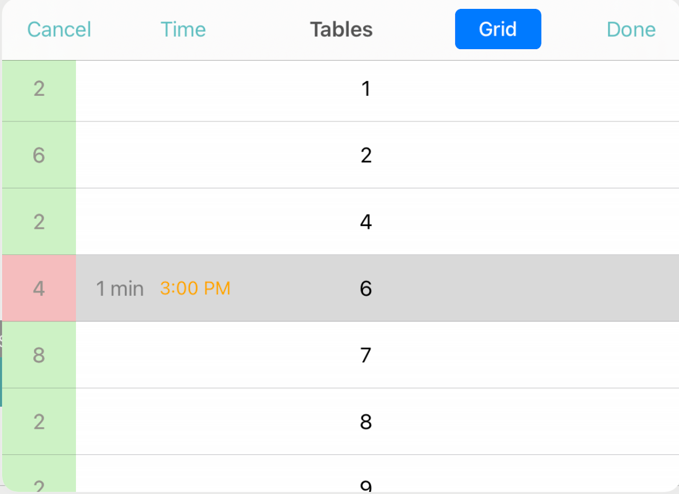
In the table selection view, tables that already have reservations at the time selected will display in red along with a time. If you try to schedule at an overlapping time a warning message will be displayed but can be ignored if needed in some circumstances.
These new scheduling features are designed to help businesses that have heavier scheduling needs and want more control over which tables and resources are booked. Businesses that have more walk-in customers may find some of our other table management features work well for them. And of course, these feature sets can be used together to optimize service for both walk-in and scheduled customers.