Monday, August 6th, 2018 .

Did you know you can add a button to your Facebook page to take reservations or appointments? Allowing customers to book directly from social media is easy, and a great way to increase bookings.

Start by logging into your Waitlist Me account and copying the unique link for your hosted Web Widget. You can find this at www.waitlist.me > Account > Settings > Add Yourself. The link will be at the top of the page.

Next, go to your business’s Facebook page. Choose the Add a Button option on the right.


Choose Book with you, and then Book Now.


Select the Link to Website option, enter your Waitlist Me link in the pop up, press Save and then Finish. That’s it! You now have your very own reservation (or appointment) button on Facebook.


Wednesday, July 31st, 2019 .

When using the Add Yourself features, whether through Kiosk Mode or the Web Widget, there are several ways you can display an estimated wait to customers. Simply navigate to the Settings > Add Yourself > Main View. Here you can select the wait time that fits your business best. 

People and Groups – Show the number of parties and the total number of people on the list.

People – Show the number of people on the list.

Minutes By Group – Display an estimated time by multiplying the number of parties by a number of minutes you specify. For example, selecting 5 minutes will multiply the number of groups on the list by 5, and present that result as the estimated wait.

Minutes By People – Display an estimated time by multiplying the total number of people on the list by a number of minutes you specify. 

Last Estimated Time – Report the last estimate given by your staff.

List View – Show the public view of the waitlist, so people can see where they are in line.

Hide – No estimates, just go straight to the Add Yourself part.

Here are a few examples:

Web Widget, number of groups and people
Web widget, last estimated wait
Kiosk mode, full waitlist view

Friday, April 10th, 2020 .

Nobody knows better than our pandemic first responders how important it is these days to safeguard patients and healthcare workers. Doctor’s offices, urgent care facilities, and medical centers are also taking new steps to ensure the safety of their patients and staff. 

Waitlist Me makes it easy to improve waiting experiences and cut down on crowds and lines.  Here are some ways doctor’s offices and medical facilities are using our waitlist and reservation app during the coronavirus crisis.

#1. Make waiting safer for everyone

The fewer people you have in your waiting room, the better, whether social distancing policies are in place or not. From restaurants offering take-out to retailers promoting curbside pick-up, there’s been a tremendous uptick in businesses encouraging customers to spend as little time as possible inside their brick-and-mortar locations.

Healthcare facilities can do the same. When patients arrive for their appointments, they can be added to your waitlist and asked to wait in their cars until they can be seen by a medical professional. When a doctor, nurse, or P.A. is ready for them, simply send them a text alert to let them know to come inside.  Some places are even doing simpler screenings or check ups in the cars to avoid patients having to come inside at all.  

#2. Decrease the amount of contact required

With highly contagious illnesses like coronavirus spreading through cities like wildfire, office staff must be cautious about all the little things that were standard just a month ago, like sharing pens, passing clipboards, and opening doors.

Limiting contact between individuals, whether they’re patients, caregivers, or administrators, is key. Automating doors is one way to upgrade your office with an eye toward the future. Going digital with your paperwork is another. It also has the added benefits of decreasing in-office wait times and freeing up staff from data entry tasks.

With our add-yourself web widget, you can add Waitlist Me to this list of helpful no-contact improvements. Patients can check themselves in using their smartphones from anywhere and receive a confirmation message.  Text them when you are ready and you can even view their replies if they are running a few minutes late or letting you know when they have arrived. With Waitlist Me Pro there are also options to send custom responses to the texts patients send, like to reply with an update on the estimated wait remaining.

#3. Improve the overall waiting experience

We’re pretty sure no one really enjoys sitting in waiting rooms for their turn to see a physician. Flipping through months-old magazines amid who-knows-what illnesses? That’s not anyone’s idea of a good time.

Many offices are using Waitlist Me’s online features that can be viewed in phone browsers to give patients more control over how long—and where—they wait. With the widget, individuals can check in for their appointments (or for open clinic hours) from the comfort of their homes. Then, they can check the public waitlist feature to ensure a timely arrival when a healthcare provider is ready to see them. The public waitlist lets them know how many people are ahead of them in line and how long the estimated queue time is.

Friday, August 31st, 2018 .

It is pretty universal that people don’t like waiting, and that businesses can serve customers better by improving wait experiences. But as we have seen a wide range of different businesses across multiple industries and countries use Waitlist Me, we have also learned that there is a good degree of variation among the types of customers or groups waiting and the level of information needed to best serve them.

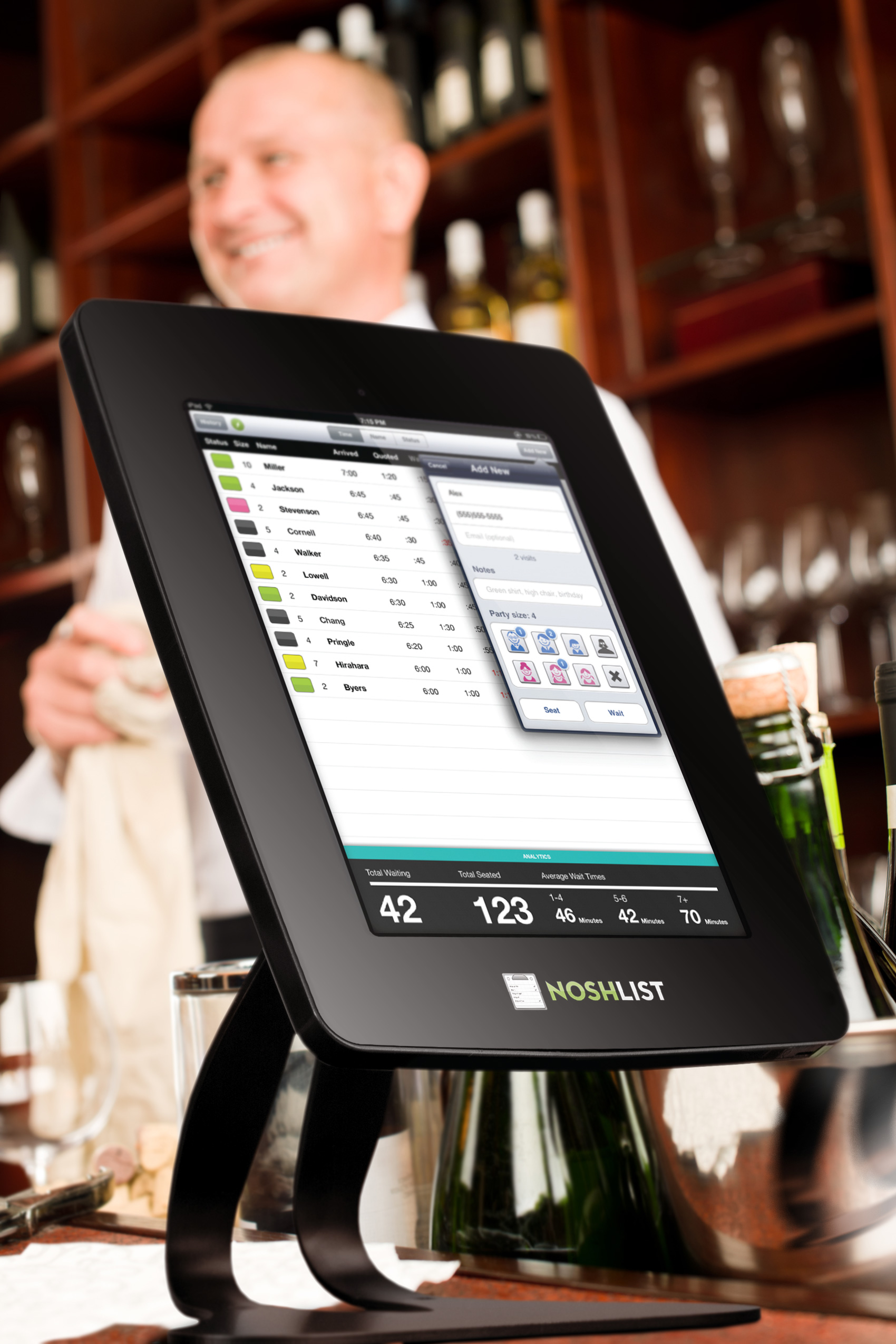
To add to many of our other customization features, we have recently added more options for the main waitlist view. It’s easy to streamline the views of your waitlist by choosing the level of information you need and removing unnecessary details. You can customize the columns shown, the information displayed in each row, and what type of stats you’d like to see.

You’ll find these settings in your app by tapping the Gear icon > Customization > Waitlist View.

Columns – Choose the Waitlist Info option to edit the information you want to see in each column. You can display the status colors or hide them. Show the group size, or get rid of it if you serve individuals. Hide the Assignments column if you don’t assign customers to tables, staff or other resources.

Rows – Also in the Waitlist Info section there are options for the level of information to display in each customer’s row. Would you like their phone numbers displayed on the main page? Do you need to see how many kids and/or seniors are in each group? How would you like to see wait time quotes – as minutes, ETA, or both? Choose what works best for you.


Statistics – From the Waitlist View section of the Settings, the Wait Estimates and Totals options allow you to customize the display of the analytics bar at the bottom of the screen. Use the Wait Estimates > Display Groups to set 3 ranges of group sizes for calculating average wait estimates.


The Total Settings will allow you to display the number of people waiting, the number of groups waiting, or both. Also, choose how many hours you want to see Total Served stats for (a full day, or less than 24 hours so you can see stats by shift).

Wednesday, May 13th, 2020 .

After mere weeks in quarantine, Americans went hog-wild with their new pet adoptions. Instagram feeds are packed with newly adopted furry critters, and there’s no sign of a let-up any time soon. If the coronavirus has a single silver lining, this just might be it.

With the flurry of potential pet parents, now is the perfect time to put your best paw forward. Enter Waitlist Me, a waitlist and reservation app that will help you score a gold star for customer service and keep your customers, volunteers, and pets as healthy as possible during the coronavirus pandemic.

Here are some ways animal shelters can use Waitlist Me right now to facilitate pet adoptions during COVID-19 and beyond.

#1. Corral crowds in their cars

Our collective new normal involves all sorts of protocols to keep us safe and healthy. We have adapted: We’re wearing masks in public, we’re standing 6 feet apart, and we’re shopping from the comfort of our cars to minimize the spread of coronavirus.

Enlisting cars as a crowd control tool is easy to do with Waitlist Me. Use our custom text notification feature to share simple coronavirus instructions with your customers, like to wait in their car until they are notified.  You can include this in the confirmation text that customers receive when you check them in or they schedule themselves.  Then when you are ready for them, just press a button to send them a notification it is their turn. If they reply back to a text you will see their message in the Waitlist Me app, and our Pro service includes an option to send open text responses to these messages for things like answering questions.

#2. Spread out demand with appointments

Another way to avoid a throng of eager adopters busting down your door is to encourage customers to make appointments.  This can help spread out demand to less busier times or can be used to avoid common bottlenecks that might require a specific staffer or area of your business. It can also help ensure you have the right number of staffers and volunteers when and where you may need them. 

Customers can use Waitlist Me’s web widget to quickly schedule an appointment with a few clicks, so they’ll be assured of their cuddle time and you’ll save staff’s time by letting people self-schedule. The Pro version of the service also comes with additional ways to customize the widget and set scheduling limits.

#3. Keep groups separate—and spaces sanitized

Some shelters across the nation are seeing their traffic skyrocket up to 90 percent! Because shelters are designed to make the most out of limited space, you often find yourself in tight quarters—not great when we need to be particularly germ-conscious.

That’s where Waitlist Me’s resource management feature comes into play. It’s completely flexible, making it easy to reconstruct the layout of your workspace within the app. When guests check in, you can assign them to a staff member or to an area, like your kitten play room, an application area, or a visiting room where they can get to know different animals. Once those guests leave, you know exactly where they’ve been—and you can sanitize accordingly.

And because you can use Waitlist Me on multiple devices, all your employees and volunteers can see where everyone is with a single glance. This lets you minimize potential contact as well as the need to have groups of guests pass each other in narrow spaces. Win-win!