Friday, March 26th, 2021 .

If you find that you, your staff, or your customers are more exhausted or more stressed out than usual, you’re not alone. In fact, these feelings are so common right now that the American Psychoanalytic Association has a name for it: PTSE, or Pandemic Trauma and Stress Experience.

APsaA’s COVID-19 advisory team has put together a long list of stressors and fears that those experiencing PTSE generally struggle with. It includes everything from “increased withdrawal, isolation, and fear of others as a source of infection” to “increased altruism, including worry about others.”

And you know what? All the points on this list of fears has the power to impact small businesses like yours.

Read on for four ways you can help customers have less stress when they visit.

Communicate safety precautions clearly

Proactively inform your guests about the precautions you’re taking to minimize the spread of the virus.

Post signs on your door, require hosts and servers to introduce them early in a guest’s visit, and include it on other forms of communication, from menus to social media profiles and posts. These precautions can protect not just your customers, but you and your employees as well.

Eliminate waiting area anxiety

Hanging out in a restaurant lobby wasn’t fun pre-COVID. During a pandemic, being that close to strangers for a long period of time is the stuff that panic attacks are made of.

Luckily, WaitList Me empowers customers to wait where they feel safest—outside in the fresh air, window shopping around the block, or hanging out in the car. Thanks to our text notifications feature, you can reach them wherever they are to let them know when they’ve hit the front of the line.

Cut unnecessary interactions

In this hand sanitizer-soaked world we now live in, many customers are concerned about touching items they never would have thought twice about a year ago. Everything from door handles to menus are suspect.

Eliminating these stressors requires a little bit of ingenuity. Wherever possible, install items like foot-pulls to enable guests to access areas without using their hands.

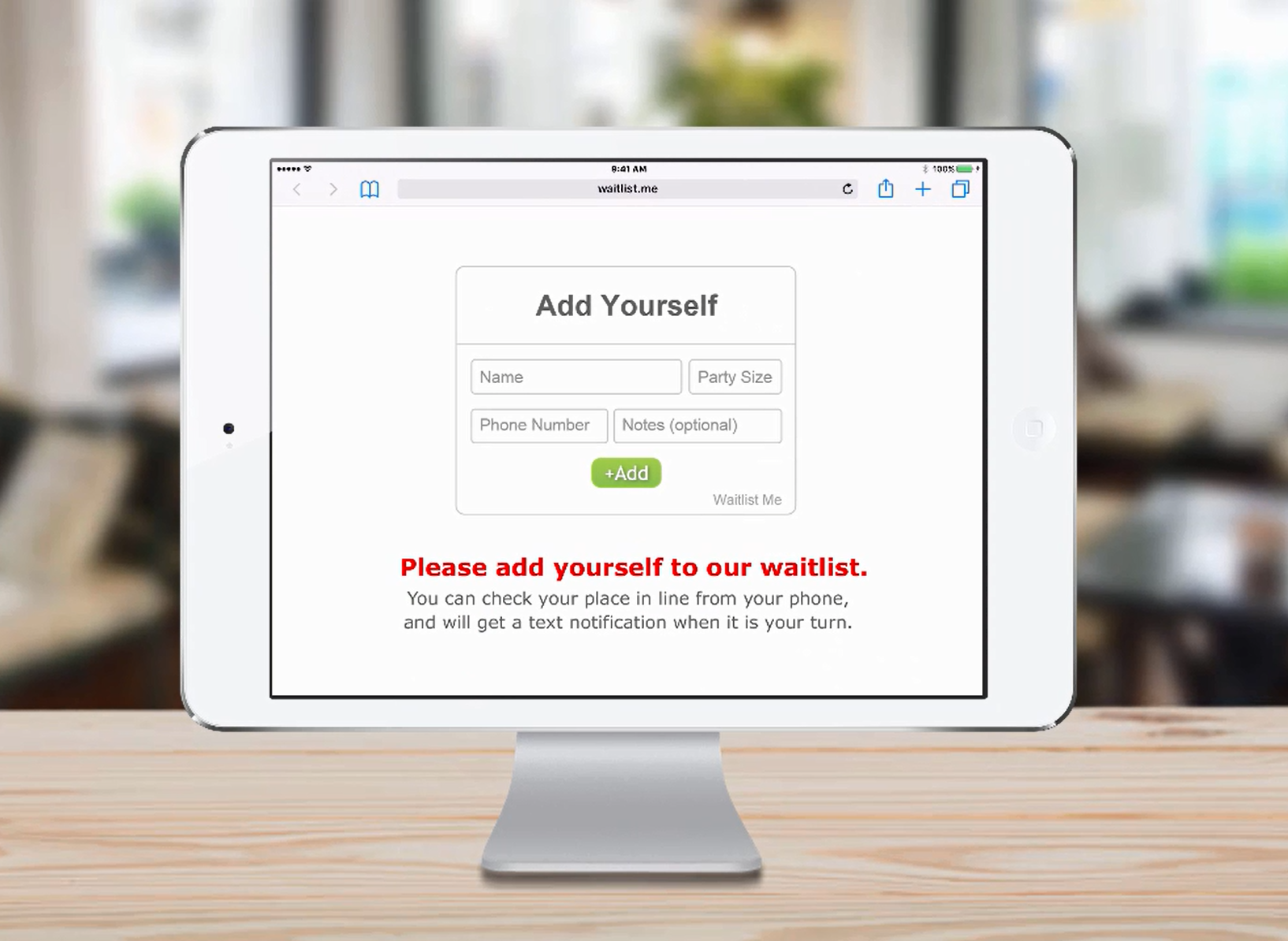
You can also use QR codes for menus and other ways. Post a QR code of the link to your Waitlist Me web widget and let customers join the list before they step foot in your restaurant, further minimizing lines and crowds.

Socially distance eating areas

For stressed-out customers, seeing a tightly packed dining area is enough to make them turn tail and leave—and may think twice before returning in the future.

You may want to reevaluate your restaurant’s table layout. Waitlist Me Platinum’s floorplan view and table management features are handy for optimizing your dining spaces and knowing where to seat the next customer to keep things flowing smoothly. 

One more thing: While community tables may have been the restaurant trend du jour, pre-COVID, now is not the time to bring them back. In fact, even when herd immunity has been reached, it might take awhile for diners to be psychologically comfortable enough to eat elbow-to-elbow with strangers again. 

Sunday, June 22nd, 2014 .

Want to improve how efficiently you do table management? NoshList makes it easy to assign parties to tables, either when they are first added to the list or when they are seated. The table numbers are displayed in the waitlist view, so you can scan the list at a glance and know which parties go where.

table eta


Table numbers appear in a spinner for quick selection, and by default the numbers will be from 1 to 50. Most restaurants will want to change these numbers to match what they use in their restaurant, and this can be done individually in the app, or all at once on the NoshList website.

If you aren’t a restaurant, you can even change table numbers to represent what makes sense for your business. Think of them like a resource that can be assigned to a customer. They could represent the initials of a salonist or salesperson, a number for a barber chair or bowling alley lane, a rental rental ID or code, among others.

You can edit Tables in the app settings individually:

tables app


Or you can update them all at once in the settings on the NoshList website. If you have multiple devices the changes will synch so they are the same across all devices, but you will need to just go to the settings page on the other devices to trigger the sync.

tables web

Monday, May 14th, 2018 .

Muslims around the world are entering Ramadan, the holiest time in the Islamic calendar. No matter what type of business you run—a big-box retailer or boutique, a restaurant or bar, a gym or studio, a salon, a spa, or a resort— you may see changes in your business traffic during this time.  Here are some tips for using Waitlist Me to improve customer service during the month of Ramadan.

Take walk-ins and reservations

Ramadan observants fast during daylight hours, but once the sun sets, they’re all about big family dinners packed with delicacies. If you run a restaurant that doesn’t usually take reservations, Waitlist Me makes it easy to start—or to take them when you need them, like when a large party is ready to dig in.

Bonus! Our Free-level version lets you take same-day reservations, and our Premium-level app offers more robust reservation features, like a calendar view and a web widget.

Use waitlists to accommodate every client, every time

From haircuts to yoga classes, urgent care visits to mani-pedis, if your business is in a Muslim community, you’ll probably see more foot traffic after dinner. Waitlists can help you keep up with the changing traffic patterns and ensure that you keep all of your customers happy, day-in and day-out.

Bonus! The Premium-level Add Yourself Web Widget lets customers join a waitlist for a particular service or piece of equipment from wherever they are, whether that’s the office, a restaurant, or the next block over.

Post special offers, events, and changes to your hours where everyone can see them

Whether you’re offering celebratory 2-for-1 appetizers or are starting trivia a little later this month to accommodate your Muslim guests’ daylight restrictions, Waitlist Me’s public waitlist view lets you keep all your guests in the know on how busy you are.

Bonus! With Waitlist Me Pro, your public waitlist is completely customizable. Add your brand colors, your logo, even a silly video. It’s up to you!

Manage multiple locations from one account

There’s no need to sign in and out of different accounts, or to check up with your store managers to ensure they’re on the ball. Our Multi-Location Management feature lets you make whatever changes you want to your public waitlist, feedback surveys, and business hours.

Bonus! Curious to see if your changes are making an impact? Multi-Location Management lets you see how your businesses are fairing in real time and check each location’s traffic analytics.

Get feedback in a snap

Are your customers loving your changes? Is there something you could be doing better? Waitlist Me Pro lets you send a link straight to your guests’ smartphones after their visits so they can leave a rating and tell you how much you rock (and what you can do better in the future).

Wednesday, September 28th, 2022 .

Waitlist Me offers several features for scheduling reservations and managing availability with simple business rules and scheduling limitations.

For advanced availability management, we have recently added features in our Platinum service for blocking out tables and setting flexible visit duration rules based on the group size and time of day. Adding more control in defining how long guests stay at tables improves the reliability of finding open tables and helps prevent double booking and other scheduling mistakes. It also makes it easy to see availability and the estimated times guests will be scheduled in the calendar view and when adding and changing reservations.

These new features can also be used in other industries to manage appointments and availability of staff, spaces, and other resources. Here’s how it works.

Settings – Duration rules work with the Business Hours features to allow different default durations to be set by group size and by time of day. To turn on Duration rule features go to Settings > Add Yourself > Business Hours and tap on Duration Rules at the top.

Creating a rule – Define the average times you’d expect guests to stay at your business and whether there is a difference by party size. The size groupings and times are customizable.

Managing rules – You can set up multiple rules if the amount of time customers may stay at your business varies by day or time. For example, you might have different rules for lunch and dinner. You can then apply the rules to different time periods in your business hours. Setting a default rule makes it easy to use the same rule for any time that you haven’t set an individual rule. In the example, a rule for regular hours is the default and there are different dinner and brunch rules for when visit times are different on the weekends.

Calendar view – When using the duration rules and custom durations, you can easily see your availability in the calendar view. The tables that are occupied are blocked out in red for the times occupied. Pressing on an existing reservation allows you to edit the details or reschedule.

Scheduling guests – Press on an open area in the calendar to schedule a customer for the time and table of the area selected. Or press the plus button at the top and select a time and table. In both cases the duration will automatically be displayed based on the duration rules for the time and party size. This duration can also be changed manually.

In the table selection view, tables that already have reservations at the time selected will display in red along with a time. If you try to schedule at an overlapping time a warning message will be displayed but can be ignored if needed in some circumstances.

These new scheduling features are designed to help businesses that have heavier scheduling needs and want more control over which tables and resources are booked. Businesses that have more walk-in customers may find some of our other table management features work well for them. And of course, these feature sets can be used together to optimize service for both walk-in and scheduled customers.

Tuesday, May 8th, 2012 .

million seated waitlist app


We are here at the National Restaurant Association Show, and what better timing than to hit our one millionth diner seated using the NoshList free waitlist app for iPad that notifies diners via text messaging that their tables are ready. NoshList helps restaurants easily and efficiently manage their waitlist and improves the dining experience by replacing paper lists, microphones and alert buzzers with text messages sent directly to the diner’s cell phone.

“We are thrilled to celebrate our millionth diner seated using NoshList. We are extremely happy with the high rate of adoption by restaurants since our launch a little over two months ago and seating over one million diners in that short time has exceeded our wildest expectations,” said Craig Walker, CEO and founder of Firespotter Labs. “Diners want an easy, convenient way to know when their table is ready and restaurants need an efficient solution that improves the experience for their customer. That is what NoshList delivers.”

NoshList launched in February 2012 to restaurants in San Francisco and has since gone nationwide to independent, multi-unit and casual dining restaurants alike.

“NoshList has provided Umami Burger an efficient and streamlined way of managing our waitlist,” said Jason Berkowitz, Vice President of Hospitality at Umami Burger. “Our patrons appreciate the ease of NoshList’s text messaging when their tables are ready and we appreciate the unlimited free texting and phone calls to patrons.”