Monday, November 24th, 2014 .

NoshList continues to be used by more industries beyond restaurants. From urgent care centers to educational businesses and bowling alleys, the wait list app is forever changing how businesses interact with their customers. To make the experience even better, WaitList has just released a number of new features for customizing the waitlist and notifications process.

Customized Waitlist View

Many places serve individual customers rather than large groups or parties, so we have included an option in the settings that will simplify the waitlist view and flow for adding customers to not show party size. Similarly, many places will assign customers to a person or something that isn’t numerical like a table number, so we have made it easier to add and display longer descriptions. For example, a salon can assign customers to the name of a salonist rather than a number. There is more space in the waitlist view to display names and you can enter all the people or resource names you want to assign customers to in the “Manage Assignments” part of the settings. We still have the old view for any restaurants or places that track group sizes, and you can change this in the “Customize Waitlist” part of the settings. You can also change the display of the “Reservations” section if your business makes appointments rather than reservations.

Example of waitlist for individuals, with no parties column and more room for assignments:

Example of waitlist for parties, with group size column:

Customized Notifications

We have had the ability to customize text and phone notifications from the NoshList website, and now we have also added that to the settings in apps. Just go into the Settings and choose the “Manage Notifications” option.

View for customizing text notifications:

View for customizing phone call notifications:

Simpler Waitlist

Instead of having separate buttons to seat and remove customers, we have combined these into a single check button for checking people off the list. When pressing on that you can choose to “Check off” the people that have been seated or served or you can choose to “Delete” them if they canceled or walked away before it was their turn. To make the waitlist history easier to find, we have changed the toggle for displaying history to appear below the waitlist, where the history will actually appear rather than in a button in the upper left that was often missed in our user testing.

All of these updates are currently in the latest version of the NoshList Waitlist app and in the online waitlist on www.Waitlist.me and the customizable waitlist is in the Android app. Changing the notifications and the new history view will be coming to Android soon.

Thursday, April 21st, 2016 .

We are happy to announce the winners of our special giveaway for Charleston area businesses that we did as part of the opening of our Charleston headquarters. Charlestonians were invited to submit names of local businesses that they’d be happier visiting if the wait wasn’t so bad.  In turn, Waitlist Me would select the top 10 submissions to provide a free year of the Waitlist Me service to help improve their wait experience.

Here are a couple of our favorite submissions:

“This is the best brunch/breakfast/lunch on Folly Beach. The wait is consistently 30-45 minutes, no matter when you visit, and there isn’t really a great waiting area, so most people have to stand in the parking lot.”  –  Lost Dog Café customer

“I love Hyman’s, but it is so crowded in the summer and tourist seasons.  I think locals like me would go there more often if the lines weren’t so bad or there was a better way to know when its your turn”Hyman’s Seafood customer

“They’re the BEST brunch spot in the area…and they do an awesome dinner service as well. They take reservations, but it’s really tough to walk in and get a spot.”High Thyme customer

And here is the full list of winners:

  • 167 Raw
  • High Thyme
  • Hymann’s Seafood
  • Kaminsky’s
  • Laura Albert’s
  • Lost Dog Café
  • Old South Carriage Co.
  • Page’s Okra Grill
  • Taco Boy
  • Tavern & Table


Customers are feeling the pain of having to wait, and businesses can use Waitlist Me to dramatically improve this experience. Waitlist Me makes it easy to manage a waitlist and send customers text notifications when ready for them, allowing customers the freedom to walk around and enjoy more of the beauty of Charleston while they wait.

Thursday, February 11th, 2021 .

Due to increased fees by mobile phone carriers for delivering text notifications, we will be raising the subscription price of Waitlist Premium on March 1, 2021 to help offset these additional costs.  The new fees levied by phone companies are industry-wide and affect every service that sends text notifications, not only Waitlist Me. 

Waitlist Premium Monthly will change from $24.99 to $29.99 and Waitlist Me Premium Annual will go from $239.88 to $287.88.  The subscription prices for Waitlist Me Pro and Waitlist Me Platinum will not change.

We are still committed to providing the best value to our customers and even with the price increase will still have considerably lower prices than other comparable offerings. We also add value to the Waitlist Me service on an ongoing basis through new features and improved performance.

Monday, September 30th, 2019 .

Everything from plastic straws to disposable containers are getting 86ed left and right. Why should paper clutter be any different because it’s piled up on your hostess stand instead of your tables?

But truth be told, it’s not just the toll paper takes on the ecosystem that should inspire you to transition toward digital waitlist and reservation management systems. There are a host of other reasons to switch to a waitlist and reservation app, like Waitlist Me, that go beyond your recycling bin. 

Need an example of why paper is passé? Here are 6:

You’re annoying your guests (and your staff)

A datebook can’t be in two places at once, but an app can. You can put Waitlist Me on as many tablets, smartphones, and computers as you want. While your hostess seats guests, a front-of-house manager can keep tabs on staff efficiency, a GM can track long-term customer trends, and a regional manager can check in on a few different locations.

Your wait times are inaccurate

How long will it take for that two-top to scarf down their chocolate mousse? When will you be able to squeeze a few tables together for a large party? With paper, you’re left guessing. Digital waitlist solutions, however, make it easier to make accurate wait estimates. That means your hosts can focus on customer service, not crunching numbers. 

You look unprofessional

Scrabbling through crumpled reservation book pages and scribbling party sizes onto a grease board makes your restaurant look like a slap-dash operation. Switching to an app lets you move all that mess onto one simple screen. No more MIA reservations, no more hard-to-read handwriting, and no more endless flipping while customers tap their toes.

You can’t multitask

Nobody likes the holler-back method of seating guests. For hosts, it’s laryngitis in the making. For next-in-line diners, it’s round after round of the “wait, did they just call our name?” game. And for even the most patient of waiting customers, it shatters the ambiance. An app like Waitlist Me lets you quickly, quietly, and easily text guests when it’s their turn.

You can’t gather data

Sure, you can tally up the heads served and tables turned by the end of the night, but with a pen and paper, a pile of chicken scratch is all you’ve got. Digital tools are built with analytics running automatically in the background as you and your staff go about your day. When you’re ready to see how your team has performed (and analyze trends, like your average table turnover time), the data is waiting for you.

You’re not serving your customers to the best of your ability

A hostess with a grease board in hand and a line to manage is working the numbers, not focusing on customer experience. But while lines are a fact of life that guests can deal with, a bad experience can wreck your restaurant’s reputation. Waitlist Me offers a bunch of features that helps hosts serve. One of our favorites: the public waitlist. Guests can check it on their smartphone or a monitor in your waiting area to see exactly where they are in line (and stop asking your hostess for an ETA!).

Sunday, February 8th, 2026 .

Running a busy restaurant is a balancing act. You want to fill every seat, but you also need to keep your best tables open for VIPs or ensure your staff isn’t overwhelmed by a sudden rush in one single section. Our new Availability and Priority feature gives you the tools to automate your seating strategy exactly how you want it.

Control Your Online Bookings

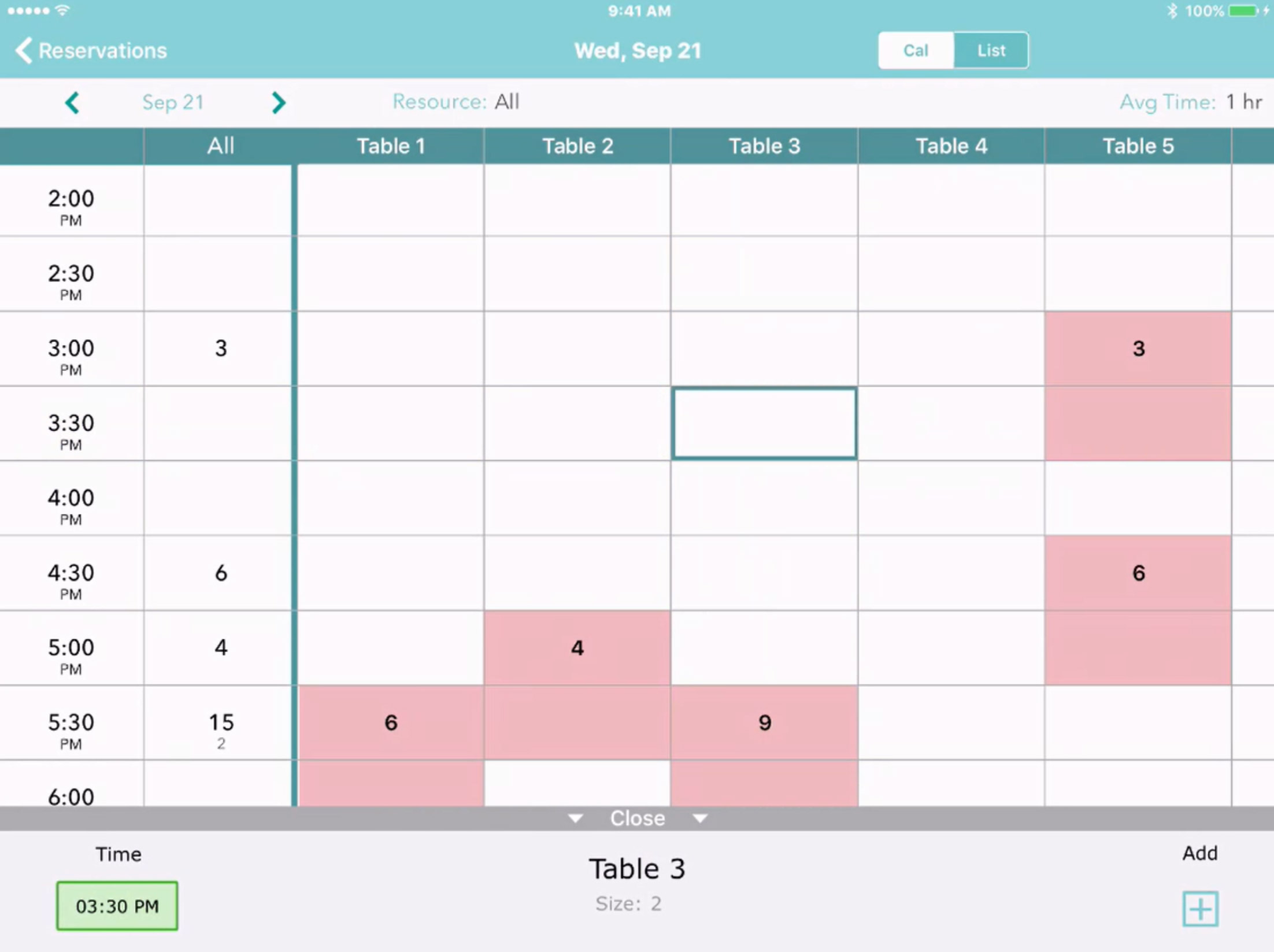
Not every table needs to be available for online booking. With the Availability setting, you decide which tables the system can auto-assign to self-service customers and which ones you want to hold back for walk-ins or special manual assignments. It’s the easiest way to protect your “power tables” or manage capacity during peak shifts.

Smart Auto-Assignment

When a reservation comes in, who gets the best seat? With Priority, you set the rules.

  • Priority 1 tables are filled first.
  • Higher numbers act as a fallback.
  • Priority 0 keeps tables hidden until every other option is exhausted.

Strategies That Work

Whether you want to fill your most popular window seats first, keep a section clear for a private event, or spread guests evenly across the room to balance the workload for your servers, this feature handles the logic for you.

Getting Started

Ready to optimize your seating? Just head to Account → Settings → Availability and Scheduling → Advanced Scheduling Rules to start setting your priorities.